Operate Details
Mosaic One offers an ever-expanding set of detailed network operations information, gathered into Operate detail views, that can enhance your productivity in effective network management. Information related to the entire network, or to specific nodes, cards, OLTs, ports, and ONUs, are all included in the Operate detail views provided by Mosaic One.
The Operate detail views provide users with network-wide insights, down to per-subscriber intelligence. Working across both copper and fiber technologies, this collection of views helps ensure your network is reaching its full potential by transforming large data sets into actionable insights that provide visibility into network trends, including tracking of network and service deviations and anomalies. Insights are viewed via an easily navigable hierarchical view of the network as a whole, and provide details down to per-port analysis across many network technologies, from GPON to xDSL.
Operations centers will be richly informed with issue visibility and suggested corrective actions, enabling you to take proactive steps toward solving issues and improving overall network performance before the customer is impacted. From adapting to physical layer issues, to complex system interactions, to capacity analysis; these Operate details give you the intelligence to optimize network performance like never before. Benefits provided by the Mosaic One Operate detail views include the following:
-
Service Assurance: easily measure the quality of services delivered across the network and know if your network is healthy and resilient.
-
Network Optimization: proactively identify the top problems on the network and view recommended actions to resolve them.
-
Capacity Insights: understand the utilization loads on the network and proactively identify constraints to ensure peak performance.
-
Subscriber Experience: identify and measure the overall customer experience to reduce customer churn and identify upselling opportunities.
-
Reduce Operational Expenses: system-level root cause analysis enables targeted troubleshooting efforts to minimize truck rolls and solve issues quickly.
-
Supported Platforms: see the Supported Platforms page for a detailed breakdown of dashboard availability by vendor and device type.
Viewing Operate Details
To access the Operate detail views, select the  (Operate) button from the left navigation bar of the Mosaic One user interface. A set of tabs with a list of Insights and collapsed Network Map will come up together with a tree view of your network on the left. Nodes, Cards, OLTs, Ports, and ONUs can all be found in this tree view. To view specific information on any piece of equipment, select it in the tree view to the left of the map. This will give a detailed view of the equipment's health and status.
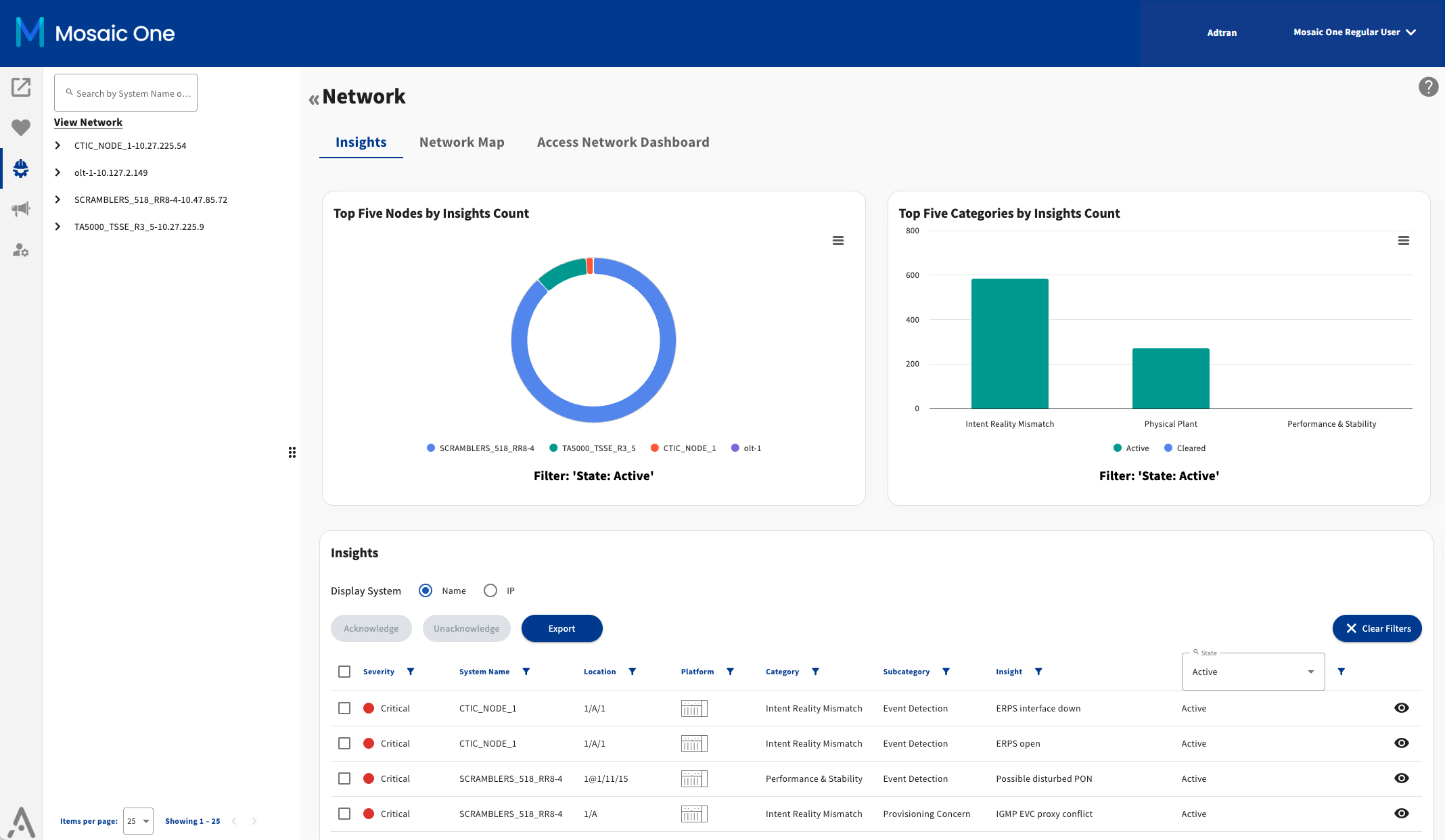
The currently available Operate detail views, including Network Details, Node Details, Card Details, OLT Details , Port Details, and ONU Details, are described in the following sections.
Network Details
The Network details page offers a view of the highest level in the hierarchy of your equipment.
Node Details
The Node details page provides a view of the node at the hardware level within your equipment hierarchy. See Supported Platforms for details on supported platforms.
Card Details
The Card details page offers a view of the card hardware level in the hierarchy of your equipment. See Supported Platforms for details on supported platforms.
OLT Details
The OLT details page offers a view of top level hierarchy hardware for disaggregated types of OLT devices (e.g. Adtran SDX 6000 Series).
Port Details
The Port details page offers a view of the port hardware level in the hierarchy of your equipment. See Supported Platforms for details on supported platforms.
ONU Details
The ONU details page offers a view of the Optical Network Unit (ONU) hardware level in the hierarchy of your equipment. See Supported Platforms for details on supported platforms.
Supported Platforms
Mosaic One's Operate detail views support network equipment from Adtran and other vendors. Dashboards follow a similar layout and exact data displayed will vary based on availability for each platform.
Operate Detail Views - Insight Glossary
The Insights tile appears on all of the Operate Detail pages displays alerts (insights) for each layer of hardware present in the hierarchy of your network Infrastructure including Network Details, Card Details, Node Details, OLT Details, Port Details and ONU Details.
Add Total Access node
The Add Total Access node page offers an input form for adding Adtran Total Access platform devices to Mosaic One Operate inventory scanning list. Once added, the new node will be included in the next network scan and after successful scan the node will be visible on the Operate tree view along with any associated Insights.
Operate Clarity Reports
Clarity PON Report